CD-DVD Tutorials - Herong's Tutorial Examples - v2.23, by Dr. Herong Yang
Downloading and Installing IsoBuster
This section provides a tutorial on how to download and install IsoBuster.
IsoBuster is definitely a good tool to help you understand the physical and logical structure of different types of CDs. Here is how I downloaded and installed the free version of IsoBuster 2.2.
1. Go to http://www.isobuster.com/isobusterdownload.php.
2. Click the download link. Save the download file to C:\temp\isobuster_all_lang.exe with 2,840,072 bytes.
3. Double click on C:\temp\isobuster_all_lang.exe. Follow the installation screen to finish the installation with default settings.
4. Click Start > All Programs > Smart Projects > IsoBuster > IsoBuster. IsoBuster starts with an empty window since there is no CD in the CD drive.
5. Click menu Help > About. A nice looking IsoBuster logo shows up.
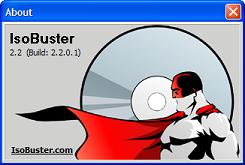
Table of Contents
Audio CD (Compact Disc Digital Audio or CD-DA) Format
Audio CD (Compact Disc Digital Audio or CD-DA) Players
Audio CD (Compact Disc Digital Audio or CD-DA) Rip Music
MP3, MPEG-1 Audio Layer 3, Encoding Format
DVD (Digital Video Disc) Standard Format
TOC (Table Of Contents) on CDs
►IsoBuster - A Nice CD GUI Tool
►Downloading and Installing IsoBuster
Viewing CD-DA (Audio CD) Track Layout
vStrip - Rip and Manipulate DVD VOB Files
mpgtx - Manipulating MPEG Files