CD-DVD Tutorials - Herong's Tutorial Examples - v2.23, by Dr. Herong Yang
Playing Sound with Sound Recorder
This section describes a tutorial on how to play back a sound track with the Sound Recorder.
Windows Sound Recorder can also be used to play back a sound track stored in WAV audio file.
1. Start Sound Recorder.
2. Click menu File > Open. The Open dialog box shows up.
3. Select the WAV file ripped off from a music CD at C:\temp\WAV\02-Track 2.wav. The WAV audio file loaded correctly, showing the total length of 221.37 sec.
4. Click the play icon. The music track plays. But the sound quality seems to be not so good.
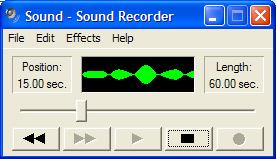
Table of Contents
Audio CD (Compact Disc Digital Audio or CD-DA) Format
Audio CD (Compact Disc Digital Audio or CD-DA) Players
Audio CD (Compact Disc Digital Audio or CD-DA) Rip Music
MP3, MPEG-1 Audio Layer 3, Encoding Format
Recording Sound with Sound Recorder
►Playing Sound with Sound Recorder
Compressing WAV Files with MP3 Encoding
Validating MP3 Compression Output
DVD (Digital Video Disc) Standard Format
TOC (Table Of Contents) on CDs
IsoBuster - A Nice CD GUI Tool
vStrip - Rip and Manipulate DVD VOB Files
mpgtx - Manipulating MPEG Files