Ubuntu Tutorials - Herong's Tutorial Examples - v1.25, by Herong Yang
What Is GNOME
This section provides a quick introduction of GNOME, an open-source desktop environment needed to run graphical applications like Firefox to browse the Internet.
What Is GNOME? - GNOME is an open-source desktop environment included in the Ubuntu distribution and many other Linux distributions. Desktop environment is needed if you want run graphical applications, like Firefox to browse the Internet.
Main features of GNOME are:
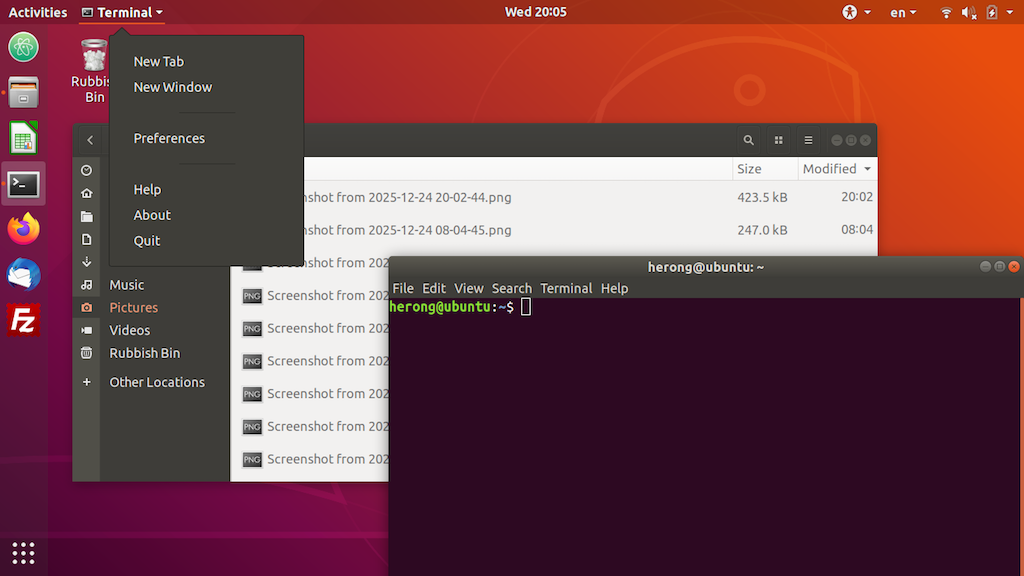
- Activities Workspace Screen - It provides a full-screen workspace to manage GNOME application windows.
- Application Launching Screen - It displays all installed GNOME applications with a search box.
- Favorites Dock - It lists your favorite applications fixed on the screen for quick access.
- Top Status Bar - It contains the Activities button, the main menu of the running application in focus, a clock/calendar, interface settings, language selector, Wi-Fi,sound, power and other settings.
- Settings - It allows you to view and change system settings on Wi-Fi, notifications, power, screen display, keyboard, etc.
- Files - It allows you to browse files and directories on your hard-disk and connected external storages.
- Terminal - It allows to launch a command-line shell to run commands interactively.
- GNOME Extension Manager - It allows you to search and install GNOME extensions.
- GNOME App Store - It allows you to search and install GNOME applications from many application repositories.
Here is screenshot of GNOME Activities Overview:
Here is screenshot of GNOME Application Launching Screen:
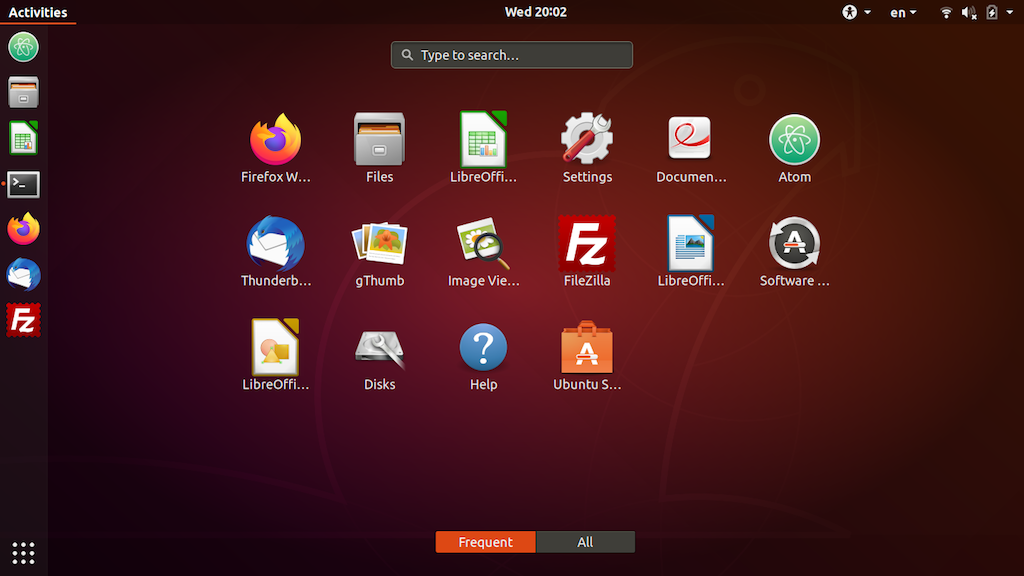
Table of Contents
Introduction to Ubuntu Systems
►GNOME - Desktop Interface and Environment
gnome-tweaks - The GNOME Tweak Tool
GNOME Application - Image Viewers
GNOME Application - Video Players
Shell - The Command-Line Interpreter