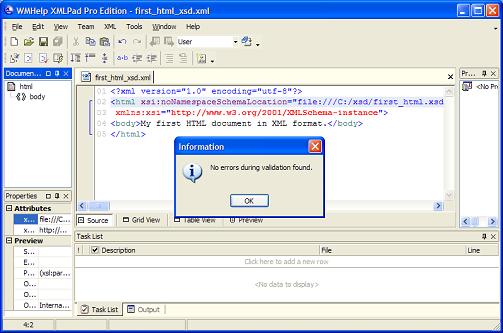
This section describes a tutorial example on how to validate an XML document with the assigned XML Schema file (XSD) using XMLPad.
When an XML document is assigned with an XML Schema (XSD) file,
it is ready to be validated using XMLPad. The XML file, first_html_xsd.xml,
created in the previous section an good example of XML documents with XSD assigned.
So let's try to validate first_html_xsd.xml with XMLPad:
1. Run XMLPad and click menu File > Open. Select c:\herong\first_html_xsd.xml in the "Open"
dialog box. XMLPad displays the XML document in the edit window:
<?xml version="1.0" encoding="utf-8"?>
<html xsi:noNamespaceSchemaLocation="file:///C:/xsd/first_html.xsd"
 xmlns:xsi="http://www.w3.org/2001/XMLSchema-instance">
<body>My first HTML document in XML format.</body>
</html>
2. Click menu XML > Validate. XMLPad will validate the current XML document
against rules defined in the assigned XSD file. In our case, the validation will pass successfully
with a "No errors during validation found" message box.
This tells us that our XML document, first_html_xsd.xml, conforms to all rules defined in the XSD document, first_html.xsd.
To see some validation errors, follow the tutorial example in the next section.