This section describes a tutorial example on how to create and edit an XML Schema (XSD) document with XMLPad.
XMLPad can also be used to create and edit XML Schema (XSD) documents.
Here are the basic steps of creating and editing an XSD document:
1. Run XMLPad, and click menu File > New. XMLPad shows a list of XML document types for you
to select, XML Document, XSD Schema, XSL Stylesheet, Document Type Definition,
WSDL Document, and RSS 2.0 Document.
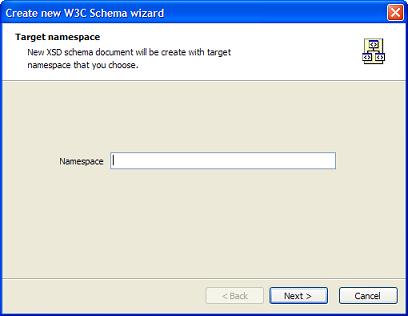
2. Double click on the XSD Schema icon. XMLPad shows the "Create new W3C Schema wizard"
dialog box:
3. Leave the Namespace field blank and click Next on the first screen.
3. Do not select any schema extension on the next screen, and click Finish.
XMLPad will create a new XSD document named as "Untitled.xsd" with two lines:
5. This is a nice starting point, but it has no XML elements declared.
So let's modify this XSD document to be the schema document for our
simple HTML document created in the previous section:
6. The last step is to click menu File > Save As. And save this XSD document
as c:\herong\first_html.xsd.
To fully understand this XSD document, you need to read other chapters in this book to learn
XML Schema language syntax. As a quick summary, here is what being defined in this XSD document:
The conforming XML document must have a root element named as "html".
The root element "html" must have one sub element named as "body".
The "body" element must have content in "string" data type.